Embed Videos Anywhere With oEmbed
With oEmbed support, you can embed Parmonic videos on platforms like Medium, Reddit, Sprinklr, Coursera, Udemy, Acquia, Trello, Asana, Notion, Contently, Lucid, Squarespace, Mural, and many more.
If you use a product that uses Embedly to support embeds, this approach will work for you.
This approach works for embedding individual videos - full video, a key moment, a trailer. Visual storylines/timeline and other multi-video formats do not have oEmbed codes.
Step 1: Go to the Moments tile of the video that you want to embed

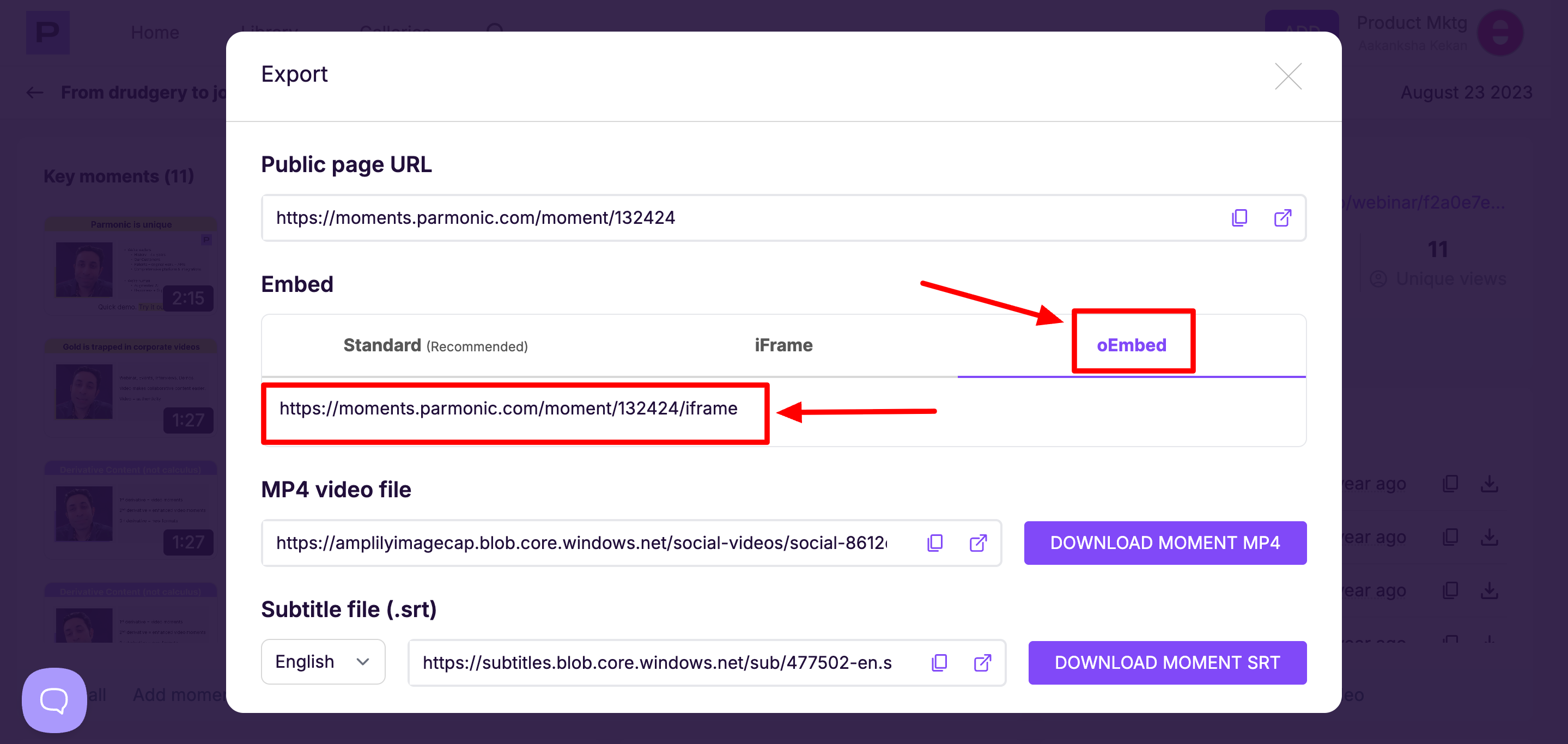
To embed a single moment:
Click on the download icon on the video dashboard.

Click on the OEmbed tab and copy the link provided below.
To embed the full video:
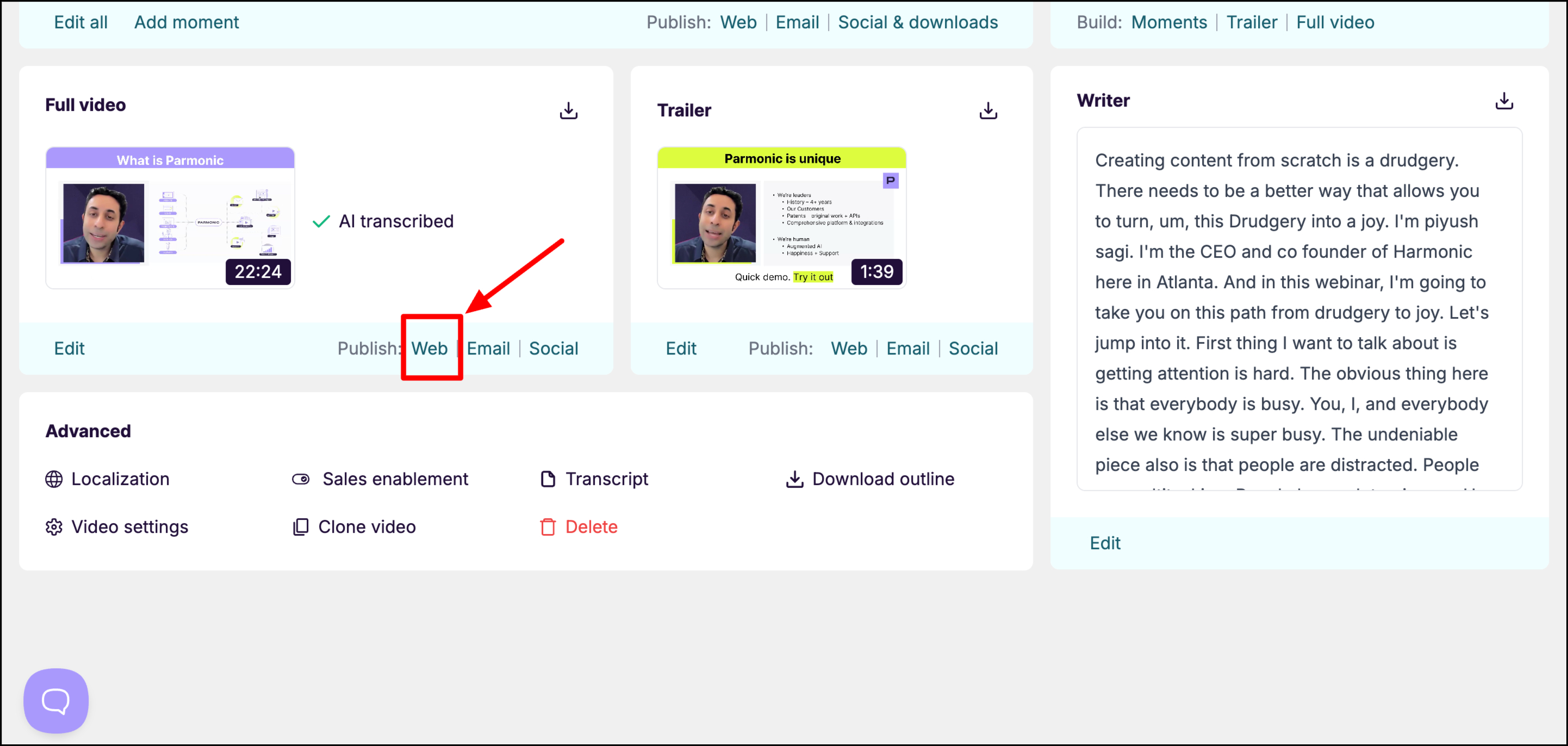
Go to the 'Web' section of the full video module on the video dashboard
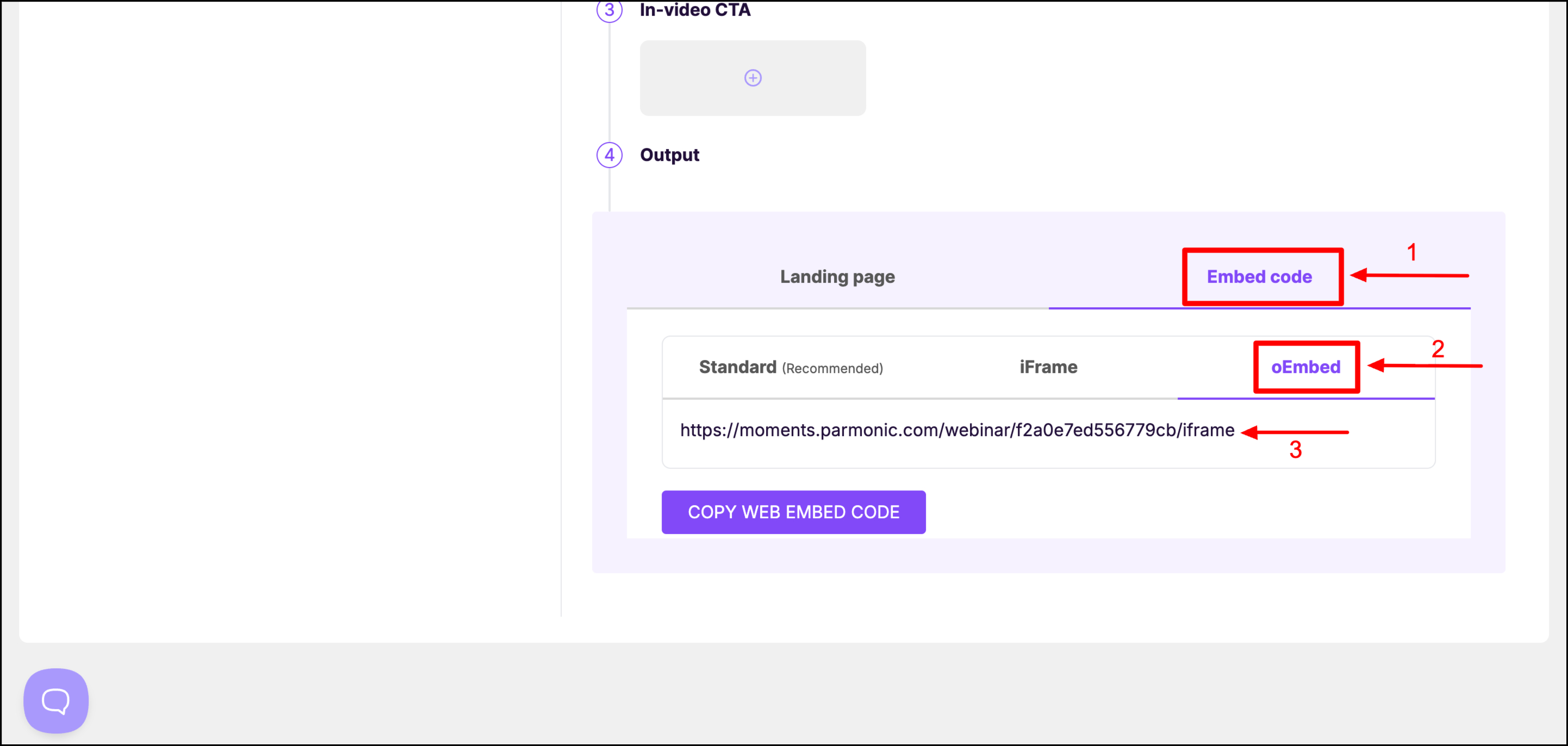
Scroll down to the Output section and click on the Embed code tab. Here you will get three options to embed your code - Standard, Iframe, and oEmbed. Click on oEmbed and copy the link.
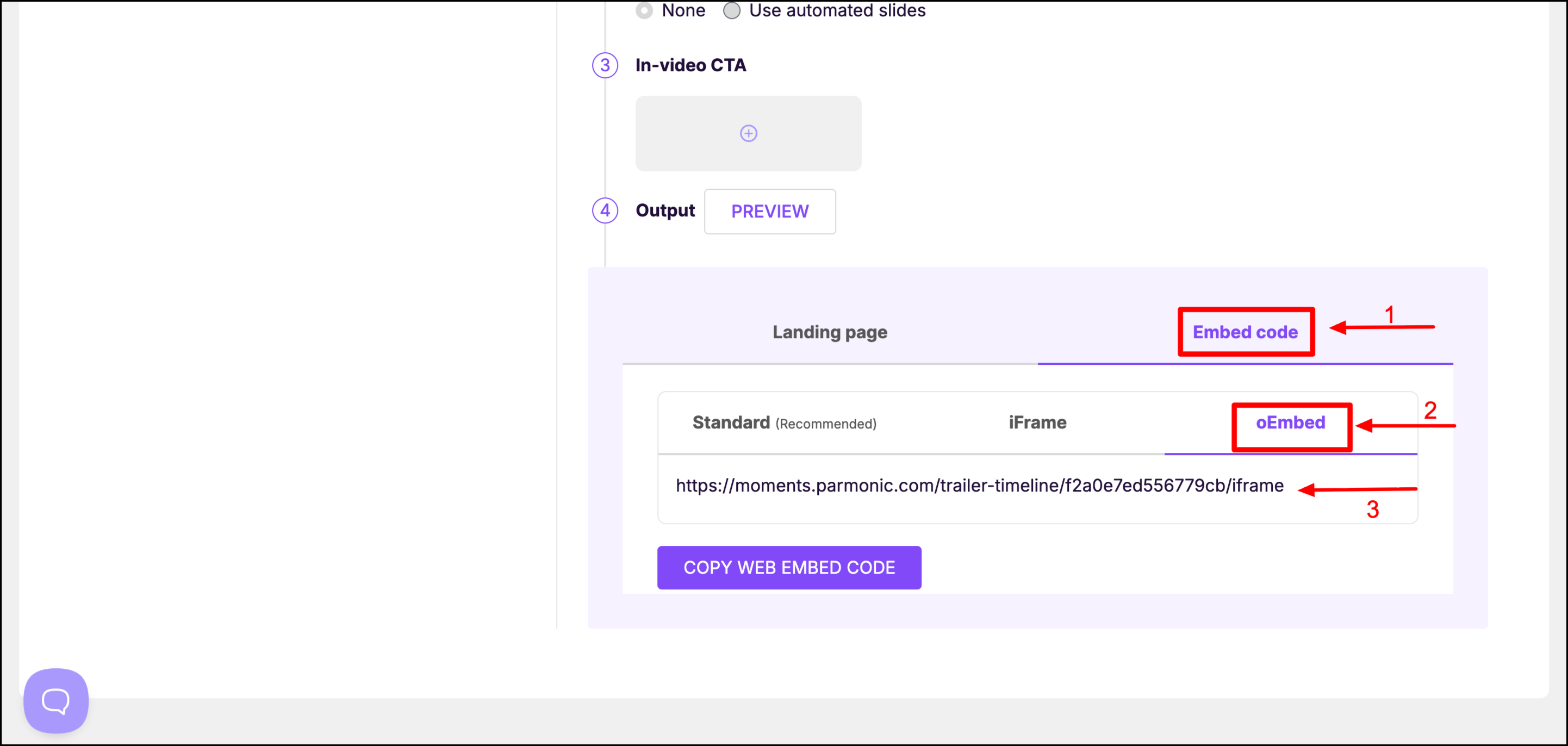
To embed the trailer:
Go to the 'Web' section of the Trailer module on the video dashboard
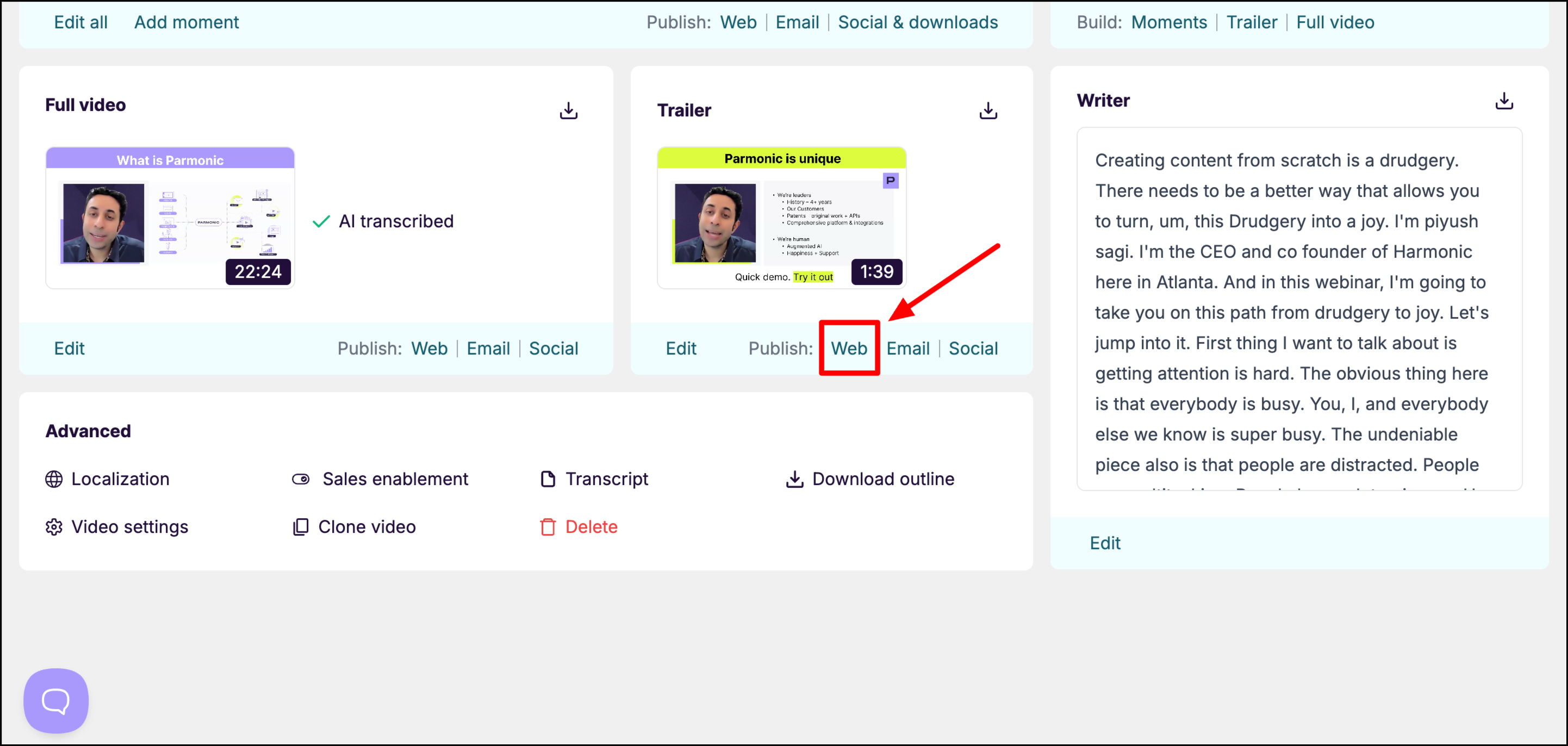
Scroll down to the Output section and click on the Embed code tab. Select the oEmbed option and copy the link.